You remember when I got an iPhone for my birthday in April? No? Go check it out. I created my own lyrics for the occasion. I had been wanting one for a while and finally Verizon offered it and I broke down Ryan’s will. (Wife of the year.)
And can I be honest? It’s all I hoped for and more. You may think I’m being dramatic, but I’m not kidding when I say that it has revolutionized my life.
(I’ll wait while you gag.)
I’m considering getting an iPhone tattoo on my hand to profess my undying love. Just kidding. But that would be funny, right? Then, it’d always be on me. (Like it isn’t anyhow. As an aside – I used to lose my phone on a daily basis. I’ve only lost my phone once in the past three months. That’s totally a record.)
Anyhoo, the best part of the iPhone (besides the access to the Internet – and most especially Google – at any time) are the apps. If you get an iPhone and don’t use the apps, you so crazy.
So, since I’m nowhere near an expert, I thought I’d share my top five free apps so far and ask for your recommendations. I started out my app search by posting on Facebook and Twitter asking for recommendations, and several of these came out of those conversations. Several others were ones I found on my own.
While I have purchased some apps, I’m sticking to my favorite free apps. Everyone loves free, right?
So, here we go… my favorite free iPhone apps to date.
1. All Recipes (Free)
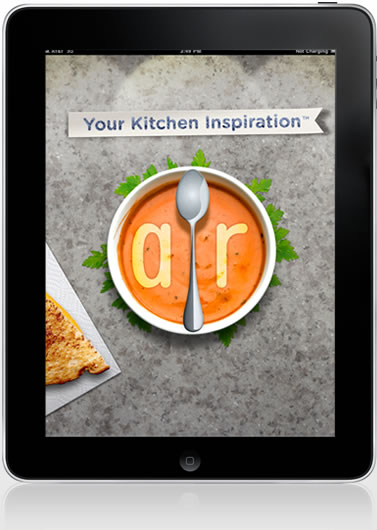
The recipe spinner rocks my world. Since we’ve been trying to use up food in the freezer/pantry, I’ve been using this a lot. You can search by ingredient, way to cook (slow cooker), etc. And, it’s free, so you cannot go wrong. I’ve used a couple other recipes apps, but this is, by far, my favorite and the easiest to use.
2. Sherwin-Williams Color Snap (Free)
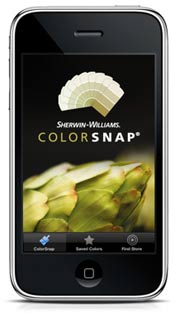
If you are into paint, you must download this app. My favorite feature – you can snap a photo of anything and find the closest color to parts of the photo. Never stand paralyzed in the paint aisle again. Freedom!
3. Pinterest (Free)

The newest update to the Pinterest app is better than ever. I’ve been using Pinterest since last September, but it’s getting bigger and better every day. And the app makes finding great inspiration easy. This is my favorite app to kill time when I’m bored. (Yes, sometimes I get bored.)
4. Errands (Free)
If you are a list-maker, this free app is for you. I like it because you can create check lists and cross things out as you complete them. I use it for grocery lists, to-dos and more. You can create as many lists as you’d like. Super handy.
5. Pandora (Free)
I like Pandora on my computer. I love Pandora on my iPhone. I have several stations set up depending on my mood. And I especially that you get tons of variety and very few commercials. I even hook it into my car for drives. I’ve found so many great songs I never would have heard without Pandora. And I love that you can easily buy the songs through iTunes when it suits you.
So, those are my current picks. I use lots of other apps, too. But these are the ones that have risen to the top of my list and get used often. (I left out the obvious players like Twitter, Facebook, Flickr and Words with Friends.) Obviously, I’ve not been compensated by any of these companies. I just like the apps and thought someone may like my honest reviews.
Tell me, what are your favorite apps on your smartphone?
I love my iphone! I haven’t seen the Sherwin Williams app… definitely going to have to give that one a try!! My favs right now are ShakeIt, Instagram, Words with Friends, Etsy, yelp, and Flight Tracker (amazing – it’s faster than the airport at pushing out the updates!)
What a great bloggy topic. I might just have to do one too!! 🙂
Great list! I got an iphone on 4th of July- my own little kind of independence celebration. I already have (& love!) the pintrest app- I love that you can pin a photo you take. I also have the pandora, and will be adding the rest of your suggestions tonight. I like cnn, open table and some local metro/traffic/news ones. I also have a few .99 games- flight control, race penguin and fruit ninga. I’ve never played so many video games before. Also, not free but very important- gps drive. I get lost going any and everywhere, so the $20 was well worth it. Especially since the $20 covers both our iphones and the ipad.
Two short days ago, I got me a smrtphone. It’s no iphone but it’s an android and even though we won’t be iphone twins, it’s pretty darn awesome. The first app I dl’d was the allrecipes one on your suggestion. And then a shopping list app. I can’t wait to become addicted to my phone like everyone else out there.
I am going to check out that errand app. I could really use it.
I use Urban Spoon a lot when we travel to find great restaurants.
Hmm. Must get Pandora immediately. 50 points awarded to the Woodwards House.
My time waster app is Realtor.com, and I use Instagram all the time!
I have a Blackberry, but I’ve been thinking about switching to iPhone. Anyway, I have the Shazam app and I love it! It’s so great if you want to know the name or artist of a song you hear. 🙂 I don’t know how much it costs, because I’ve had it for a few years, but imo, it’s worth the money!
Jenn
Darn. I guess they don’t make pinterest for Android. Boooo!
I have the recipes app and love it! I don’t have the iphone but I have the new Samsung Galaxy S and I seriously have to check to see if I have a pinterest app in my marketplace… id be on my phone for hours lol.
Thank you for this! I just got an iPhone, and was wondering what were good apps! I just installed the Errands! Thanks!
Not a fan of the pinterest app. I usually just go to it on the Internet.
Cory and I like cozi. It allows us to both see our family calendar and shopping lists, him on his iPhone, me on my iPad, the hub of my home, lol.
I don’t have an iphone, but hubby does so I just use his. lol! What do you use to play pandora through your car stero? We bought an adapter thing but it is majorly terrible.
I heart apps. I’m an Android girl, though. Ooo, let’s see. Some favs are iMapMyRun, Seesmic, Zillow and FOX 9 weather (best local weather app ever.
And Find My Car. You just tag it when you get out of your car and then it will navigate you back to your car when you’re ready to go. Never lose your car again! Pretty amazing really. At least if you’re as directionally challenged as I am.
I actually have an Android phone and my favorite Apps are Pandora, my bank, my gym (to find nationwide locations and class schedules), Cardstar (don’t have to carry around loyalty cards or gym card anymore!) and RedBox.
I think I am going to add RedLazer to that list very soon. Can’t wait to try it!
-Stacy
Great post I love pandora. But I wish I knew about the paint app earlier. We are about to paint our house and have been walking the streets checking out other houses we like. I have knocked on doors and left notes trying to figure out what color people use. Ahh this would of made life easier. But good for the future and thanks so much for sharing love hearing about apps.
Now I’m more convinced than ever that I really need an iPhone. Thanks. I may have to start working on the hubby for my birthday in October.
Now I really, really want an iPhone.
First and foremost I’m 100% with you in my addiction to my iPhone. I’m pretty sure I’d ride a bike to work before I gave it up. Well maybe.
Anyway thank you for all the tips. I’m headed over to the erran list maker now I might have squeeled seeing it in your post – lists make me happy.
I like Pandora but I actually prefer Slacker Radio :o). Other great apps (for me) would be Shazam I use it to find out what song is on all the time. CraigsPhone (craigslist for your phone lol).
Last but not least if you haven’t heard about RedLazer you should download it asap. You can scan the barcode of an item and see if its cheaper online or at another store and the app is free!
I’m from the QC, and a friend told me about your blog – I love following it! One app I can’t live without is Evernote. It’s like a really big notebook that you can add pictures, URLs, etc. to. Great for planning a move into a new house, as I’m going through now, too. 🙂
Our iPhones are twins! I have and adore all of these apps! I also really like the yelp app – use it ALL the time when we’re traveling.